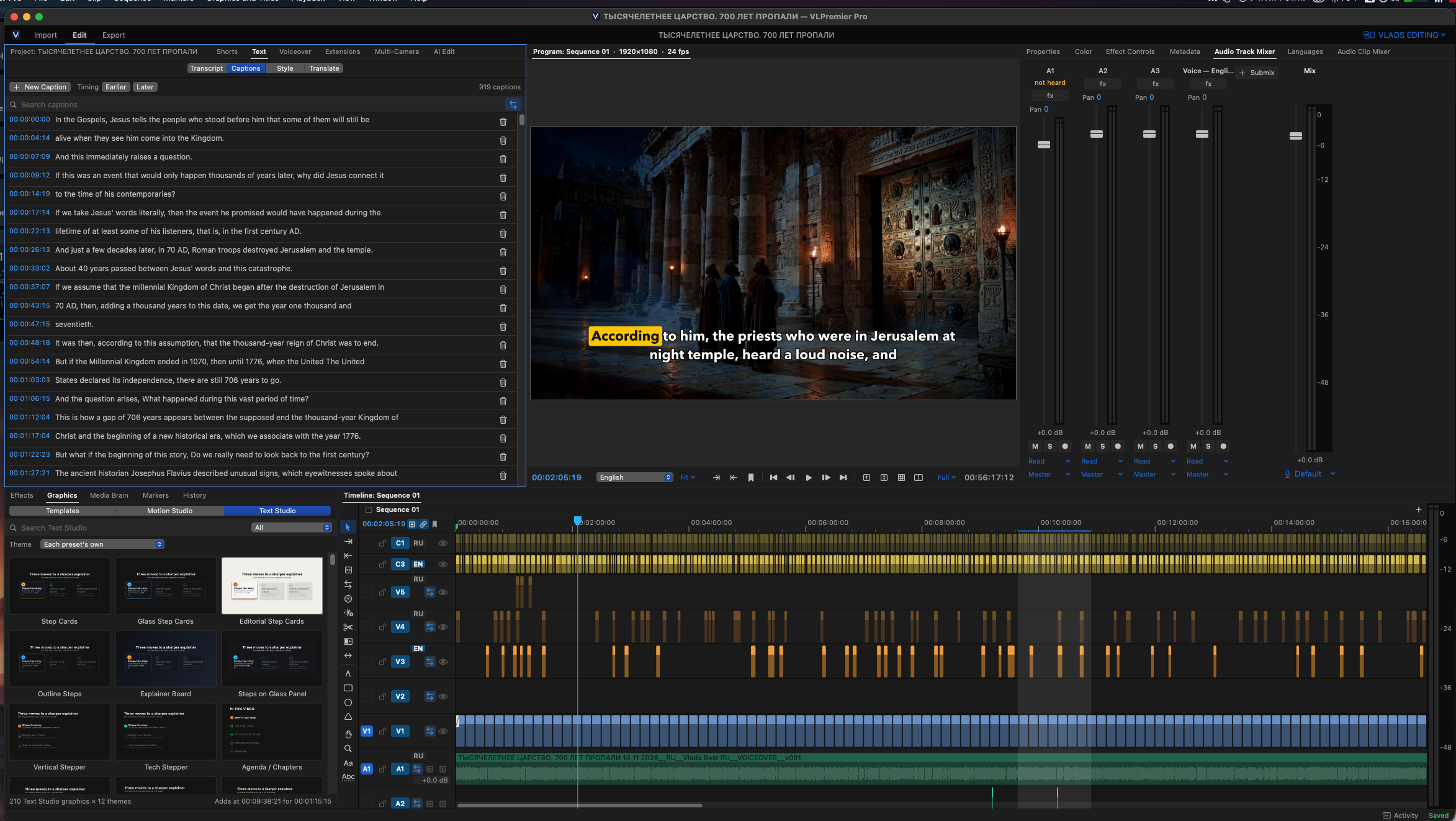
Our full VLPremier Pro walkthrough: a real project edited from the first clip to the exported file — cutting, captions, voiceover, graphics, Shorts and export in one app.
We build video tools the same way we build websites: to solve our own problem first. VLPremier Pro is the video editor we created for our own productions, and this new tutorial walks through a complete edit inside the app, from the first clip to the exported file.
Watch the full tutorial on our Youtube:
A professional video editing studio desk with a monitor showing a colorful editing timeline, backlit keyboard and control surface
The walkthrough follows a real project on the timeline. In under six minutes it shows how the workspace is organized, how a scene is cut together, how captions are created and styled, how a voiceover is prepared and placed, how titles and graphics are added in seconds, how Shorts are found inside a long film, and how the finished video is exported for different platforms.
Why we made this video
Most editors are assembled from features. VLPremier Pro was assembled from our own deadlines: long documentaries that need accurate captions, voiceovers that change at the last minute, and Shorts that have to come from the same project without starting over. The tutorial shows that workflow the way we actually use it — one app, from first clip to finished video.
VLPremier Pro is a VL Video Pro application, currently in active development and internal testing. We will share more as it gets closer to release.
Watch the full tutorial on our Facebook Page: https://www.facebook.com/reel/1970940610266409 — and on LinkedIn: https://www.linkedin.com/feed/update/urn:li:activity:7515829700359872512/